HRVision 3D
A general-purpose vision system capable of precisely measuring the position and orientation of various workpieces based on 3D imaging.The vision system can be directly embedded in the Hi6 controller, and its operation status, communication history, and recognition results can be monitored and managed via the TP.
Introducing HRVision 3D
Stereo camera/multi-line based 3D vision
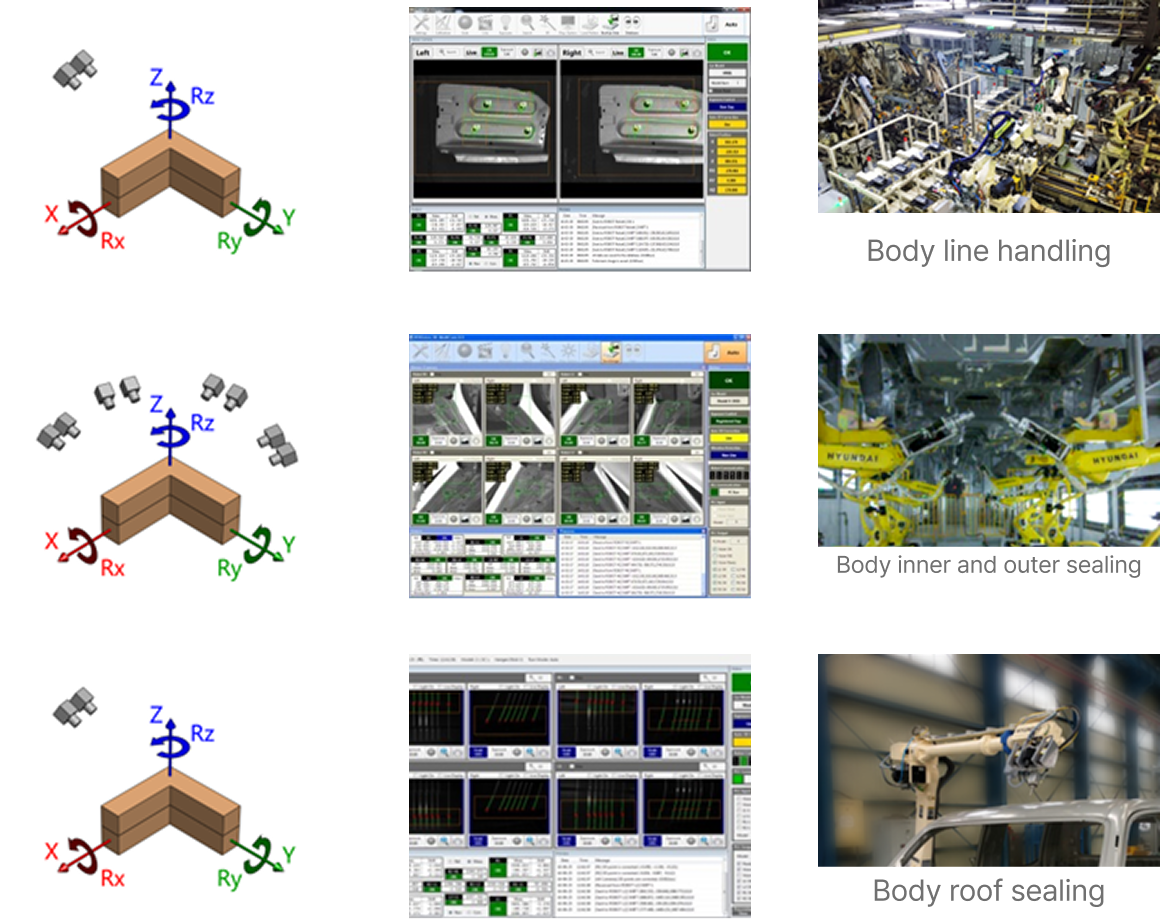
- Technology acquisition and related process expansion are underway.
- Three or more features or steps are required.
3D vision based on structured light sensors
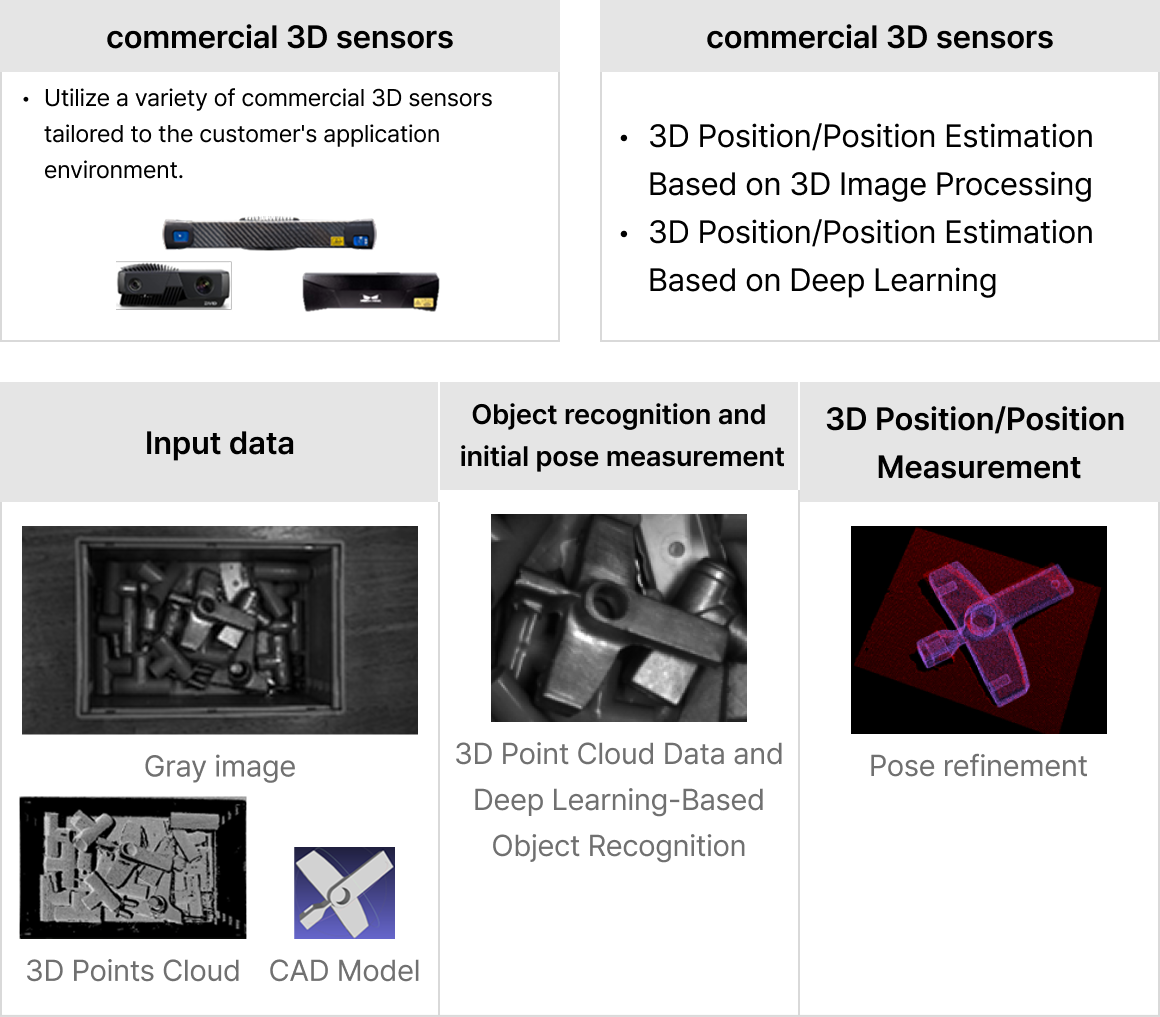
- Overview of the 3D Position/Position Measurement System.
- Overview of a general-purpose 3D position/attitude measurement system.
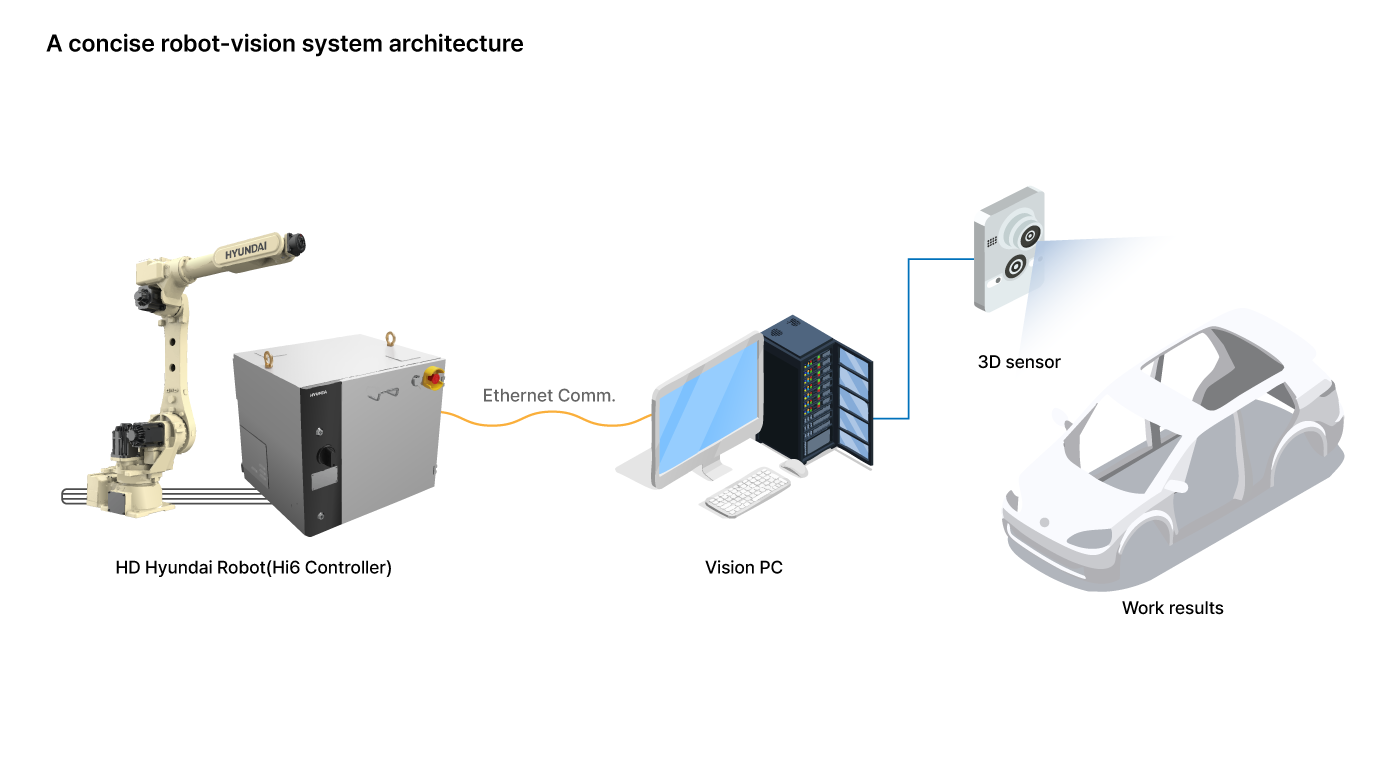
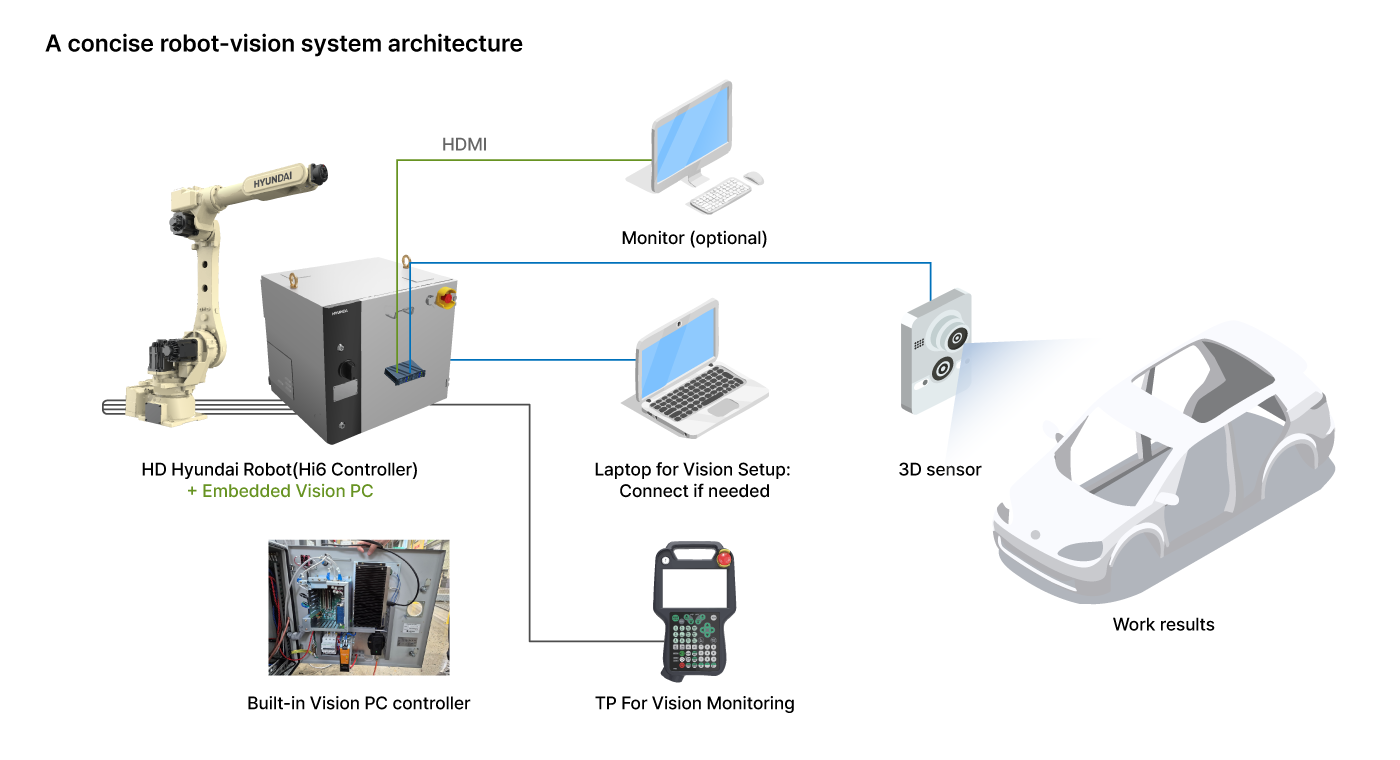
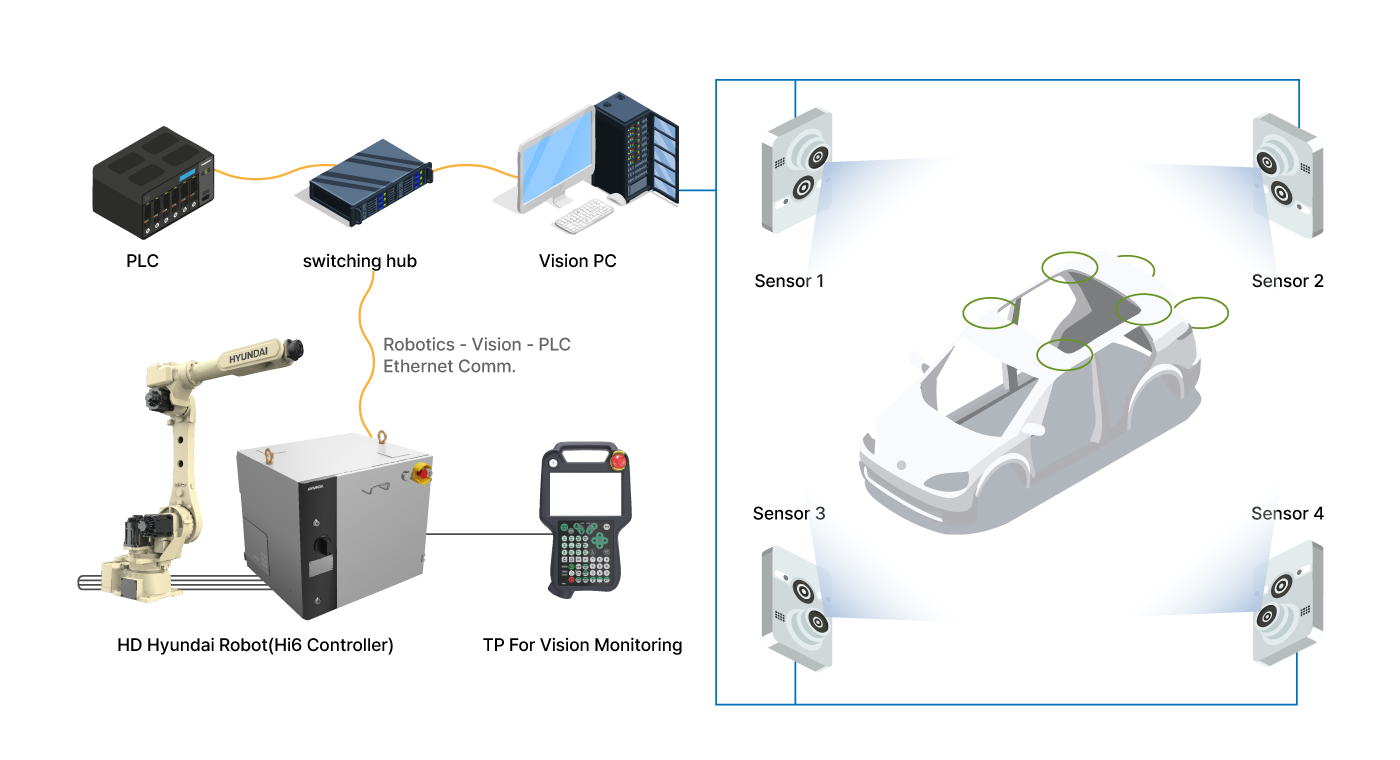
HRVision 3D System Configuration
- Stand-alone (with rack)
- Built-in
- MultiScan
HRVision 3D Key Features
01
A dedicated calibration board is provided. By acquiring images from 12 different positions and orientations, the relationship between the robot and camera is calculated precisely.
Calibration error can be monitored and corrected step-by-step.
Supports automatic calibration between HD Hyundai Robotics robots and vision systems.
Quick maintenance is possible even if the camera is misaligned.
Supports both
- Eye-in-Hand Calibration (camera mounted on robot)
- Eye-to-Hand Calibration (camera fixed in place)
02
If a CAD model (STL) of the workpiece is provided, model registration can be done simply by loading the CAD file. A database of all orientations is built, allowing application in environments with large positional variations.
3D data of the workpiece is acquired via the vision sensor, and specific information can be stored in a database.
03
Provides 3D position/orientation measurement using feature matching and AI-based 3D image processing.
04
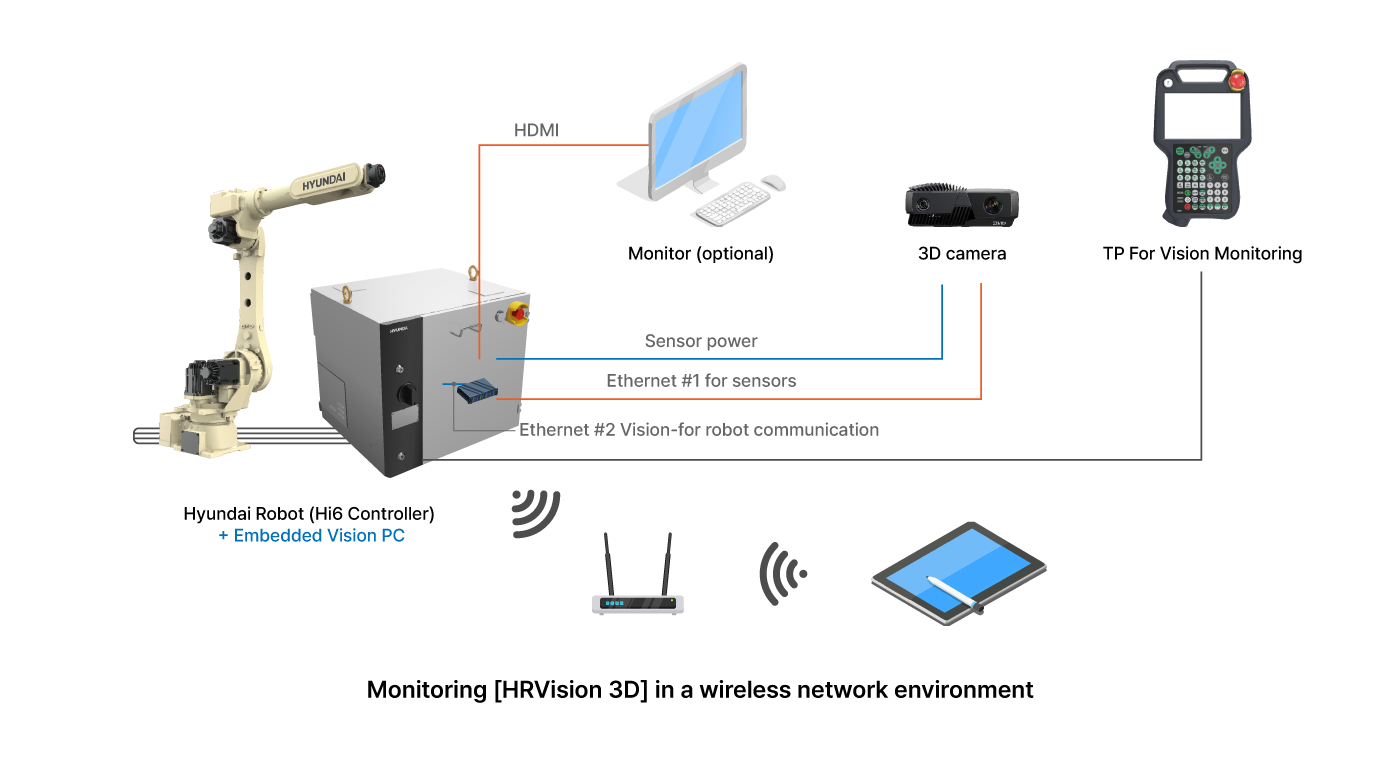
Vision application software can be monitored via TP. Optional monitor installation is available upon request. External devices can access the vision PC for setup and monitoring. Remote access via various web browsers is supported.
Multiple 3D cameras and robots can be linked for simultaneous work and large object measurement.
| Embedded Vision in Robot Controller (except stand-alone type) |
|
| Automatic Camera Calibration |
|
| 3D Position/Orientation Measurement |
|
| Multiple 3D Vision Sensor Interfaces |
|
| Hand-Eye Structure Application |
|
| Web-Based Vision Application Software |
|
| Tools/Communication Functions |
|
| Monitoring Functions |
|
HRVision 3D Monitoring
Checking the vision operation status through
the TP630 vision application software monitoring function.
Accessing the Vision Web Server for Monitoring on TP630
・Controller/TP version: 60.28-06 or higher
・Execute [Window Control] → [Split] → [HRVision]
Monitor vision operation history, vision–robot communication history, and recognition results
Perform [Image Acquisition] and [Recognition] operations
Switch between split-screen (dual view) and full-screen vision monitoring modes
HRVision 3D Operation
Operation of HRVision 3D through various external devices in a wireless network environment
A module is required for wireless network connection to the vision controller
Vision settings can be configured via a wireless tablet, improving convenience and work efficiency
Vision measurement images and recognition results can be checked immediately around the robot’s work environment
If the factory is connected to a wireless network, vision operation status can be monitored from the central control room
3D position and orientation measurement of workpieces based on 3D vision
Do you have any specific products or robot solutions in mind?